You can now have your clients in Whatsapp groups too!
Get into the Group Info!
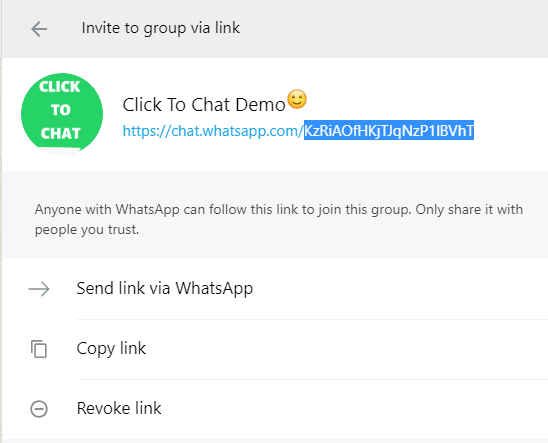
Click on Invite via link! select the suffix part of the link.
After enabling the Group feature under Click to Chat → Advanced → Group, Share features,open
Click to Chat → Group, add this ID under WhatsApp Group ID, and save the changes.
This is how you include your clients on your Whatsapp group! Remember, you need to be the admin to get this id!
To Know the Group Id:
Get into the Group Info> Click on Invite via link> Add the suffix part of the link.
That’s it! Engage your customers and channelize the response into leads!!