Theme-Friendly WhatsApp Button
Style 1 is a theme-based WhatsApp button. By default, it follows your website theme’s button design, helping it fit naturally into your site.
To Apply Style 1
- Go to Click to Chat → General → Widget Style & Position.
- Select Desktop and choose Style 1 from the style grid.
- Click Save.
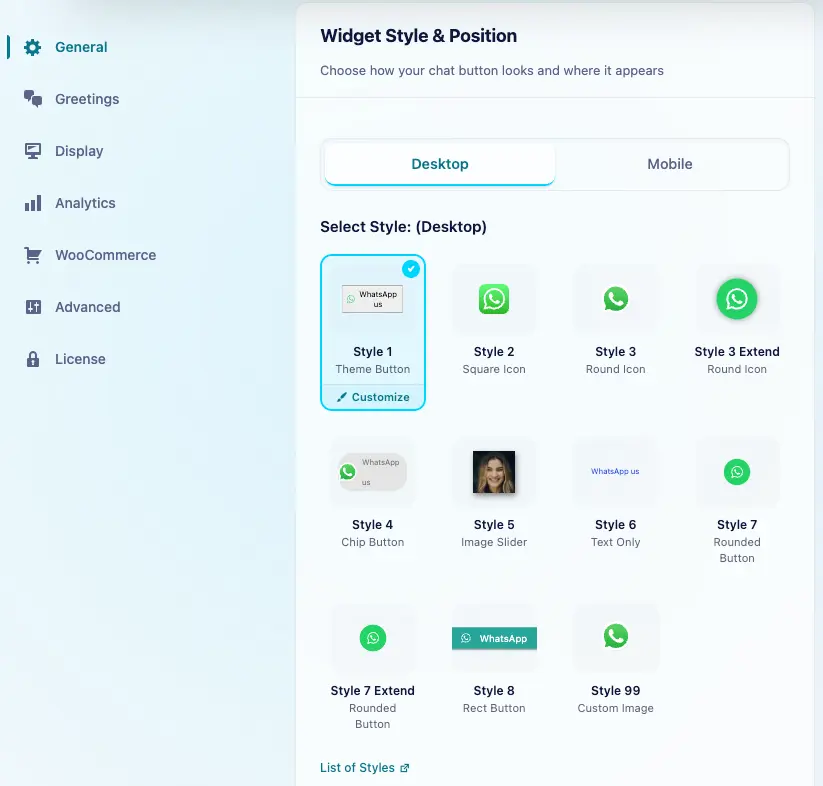
We can use the same style for desktop and mobile. To choose a different style for mobile, turn off Mobile and Desktop same settings.
Customization
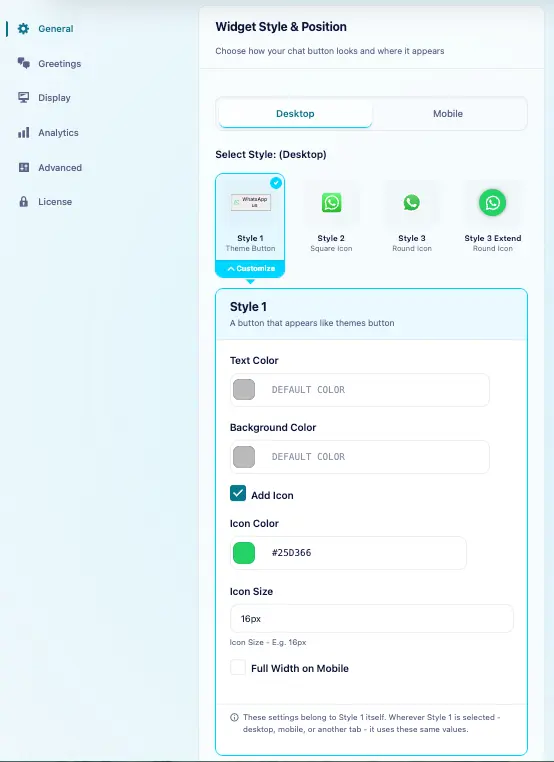
Select Style 1 in the style grid, then click the Customize brush icon that appears on the selected style. Edit its appearance and click Save. Saved changes apply wherever Style 1 is used.
Here, we can:
- Set the Background Color.
- Change the Text Color.
- Add a WhatsApp preset icon directly inside the button.
Style 1 on Mobile Devices
In the Customize section, enable Full Width on Mobile. This setting takes priority and stretches the widget across the full width of the screen.
In this mode:
- We can adjust the position from the top or bottom
- Left and right position have no effect due in the full-width layout.
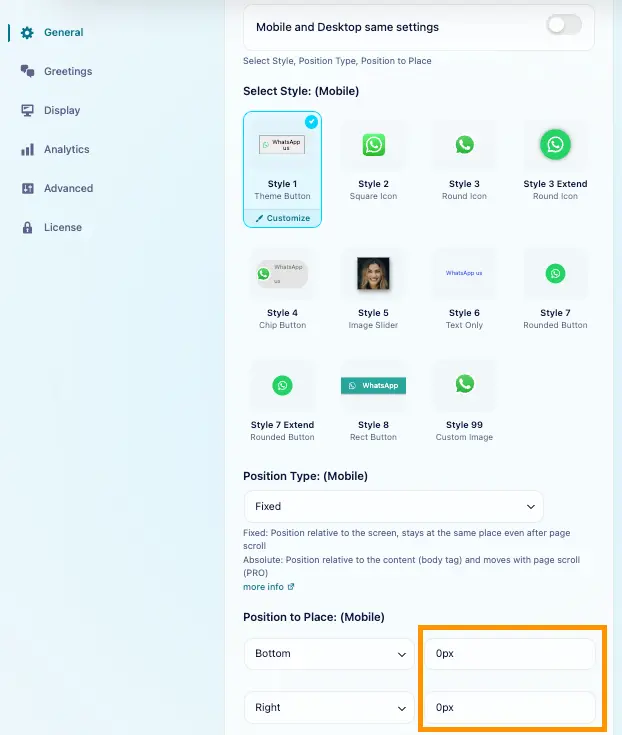
Mobile View – Full Width
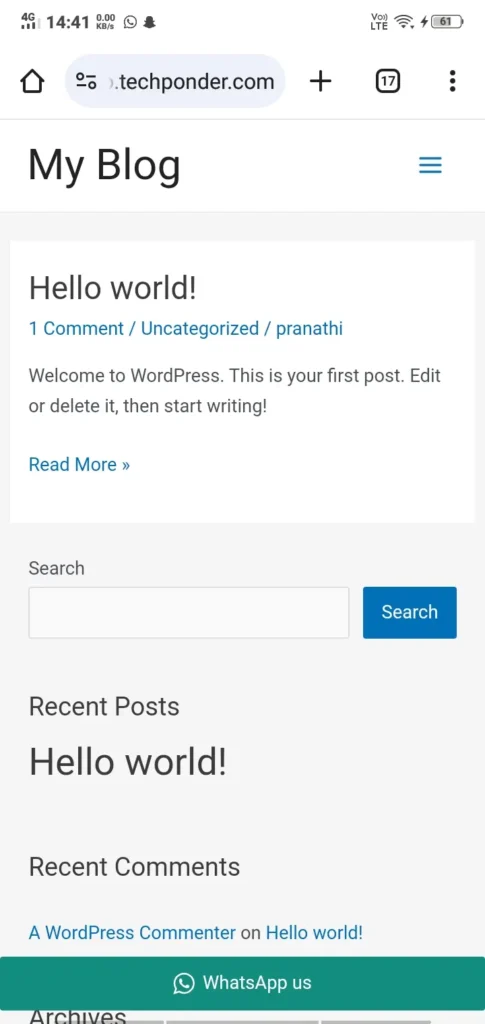
Style 1 is ideal for users seeking a clean, minimal WhatsApp button that integrates seamlessly with their website, perfect for those who prefer a simple, professional look.
Style 8 provides a customizable, bold WhatsApp chat button that fits seamlessly into our website’s theme, similar to Style 1. It offers more dynamic visual elements while maintaining a clean and professional appearance.