We can manage where the styles appears under Click to Chat → Display → Pages. This guide explains how to show it only on specific pages, posts, or categories.
Global Display Settings
First, configure the base setting:
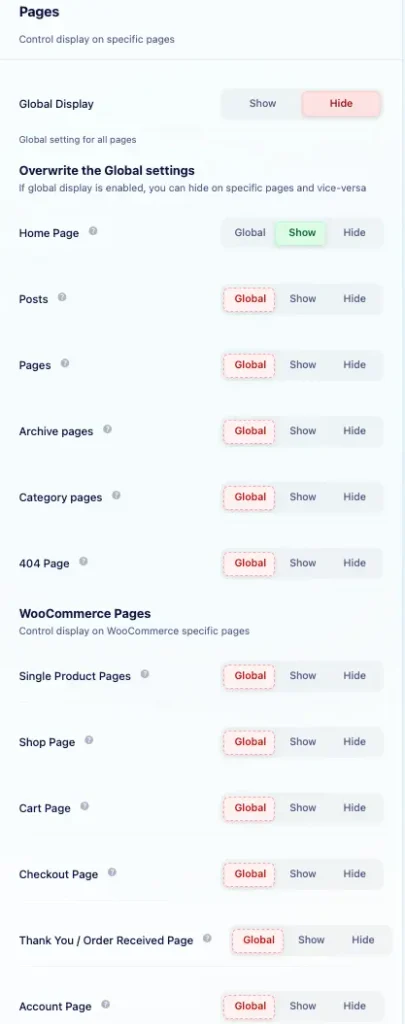
- Navigate to Click to Chat → Display → Pages and set Global Display to “Hide”.
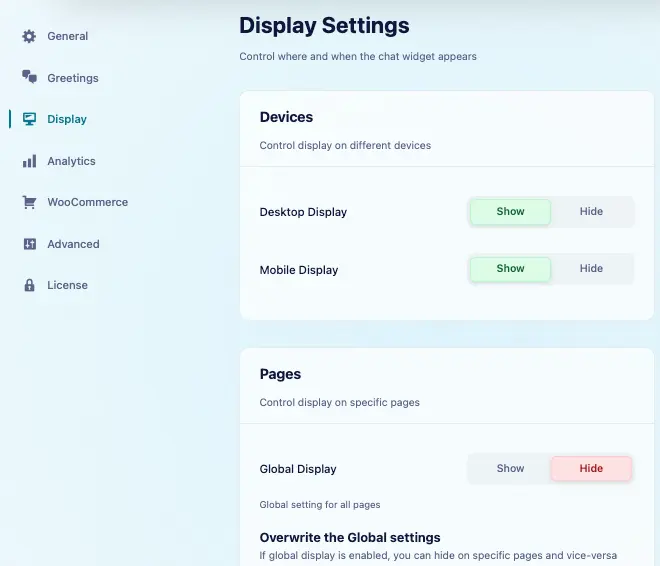
- This ensures styles are hidden everywhere by default unless specified otherwise.
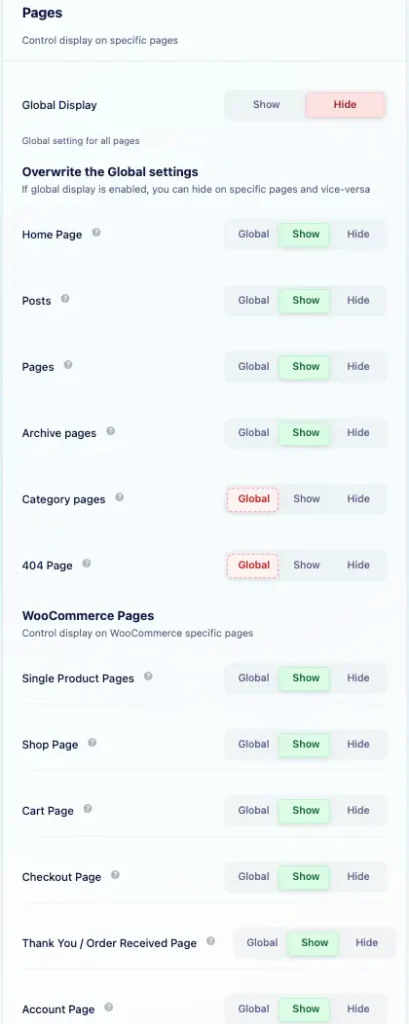
Show on Selected Pages (Using Post IDs)
To display styles only on selected posts or pages:
- Set Global Display to Hide.
- Leave all page-type options set to Global so they follow Hide.
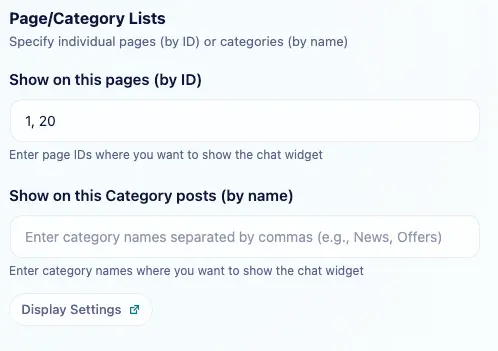
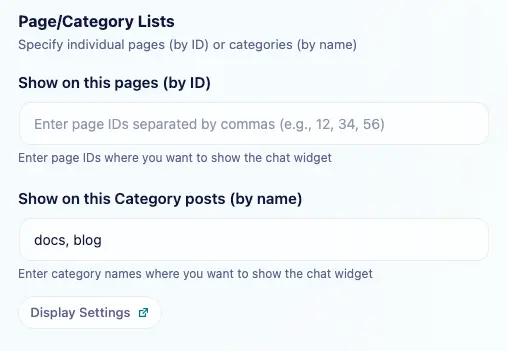
- Under Page/Category Lists, locate Show on this pages (by ID).
- Add the IDs of the posts or pages where we want to show the styles.
- Separate multiple IDs with commas (e.g.,
1, 20, 35). – How to Find Post ID
Example:
Styles will be shown only for posts with IDs 1 and 20.
Need more detailed steps on showing the widget based on Post ID? Check out this Documentation
Show Only on a Specific Post Type
To show styles only on blog posts:
- Set Global Display to “Hide”.
- Under Overwrite the Global settings → Posts, select “Show”.
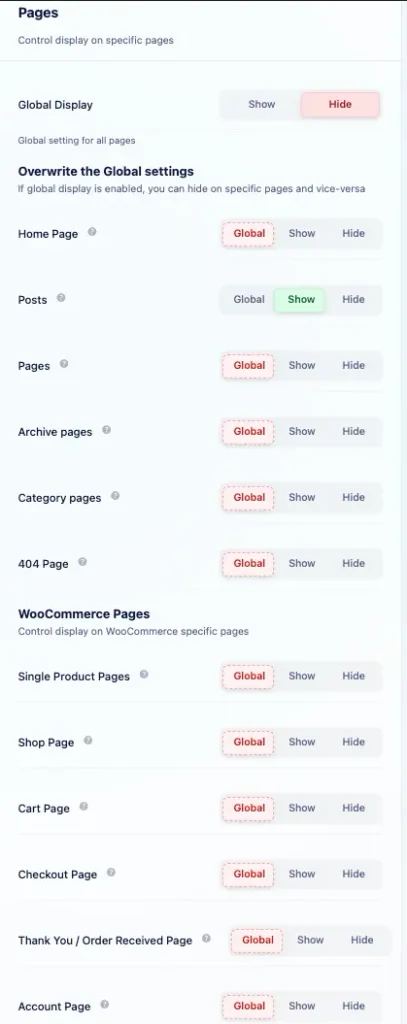
To show styles only on pages:
- Under Overwrite the Global settings → Pages, select “Show”.
This ensures styles appear only on posts or pages based on our selection.
Show Only on the Home Page
To display styles exclusively on the home page:
- Set Global Display to “Hide”.
- Under Overwrite the Global settings → Home Page, select “Show”.
Styles will be shown only on the home page and hidden elsewhere.
Show Based on Category
To show styles for posts in specific categories:
- Set Global Display to “Hide”.
- Under Page/Category Lists, add the category names to Show on this Category posts (by name).
- Separate multiple category names with commas (e.g.,
news, updates).
Example:
Styles will be shown on all posts under the categories: news, updates.
Show on Cart and Checkout Pages
To show styles on WooCommerce’s Cart and Checkout pages:
- Identify the post IDs of those pages.
- Add those post IDs to Show on this pages (by ID) under Page/Category Lists.